Email Verification Best Practices for Sales and Marketing
Sending to unverified email addresses is one of the fastest ways to damage your domain reputation. A single campaign with a spike in hard bounces can lead Gmail, Outlook, and Yahoo to treat your domain as a likely spam source, and recovering your inbox placement can take weeks.
The fix is a consistent email verification process: checking addresses before you send to them, and keeping your lists clean over time.
This guide covers seven email verification best practices for sales and marketing teams, the bounce-rate thresholds that matter, and a simple workflow you can put in place this week.
Quick answer: verify addresses in real time where they're captured, bulk-verify every list before importing it, send only to valid results, handle catch-all and role-based addresses separately, suppress hard bounces immediately, and re-verify before every major campaign to keep hard bounces under 1–2%.
How Email Verification Works
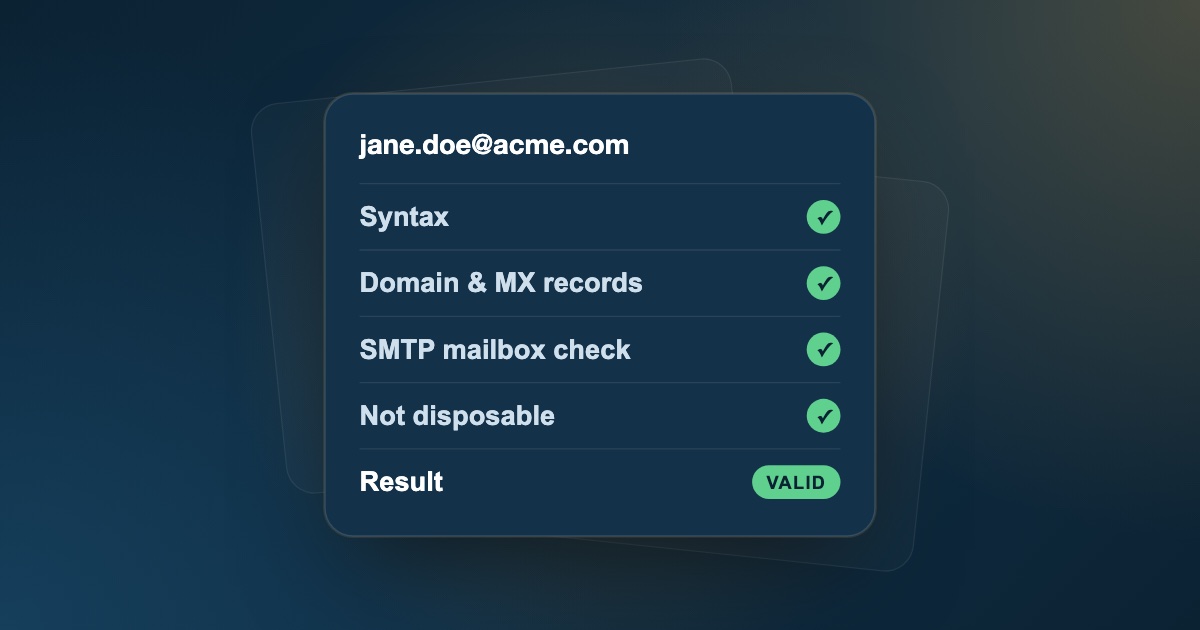
An email verifier runs each address through several checks, from cheapest to most thorough, without ever sending a message:
- Syntax check: is the address correctly formatted, with a valid local part, a single
@, and a real domain structure? - Domain and MX lookup: does the domain exist, and does it publish MX records pointing to servers that accept email?
- SMTP mailbox check: the verifier connects to the mail server and asks whether it would accept mail for this address, then disconnects before anything is delivered.
- Risk detection: is it a disposable provider, a role-based alias, a catch-all domain, or a randomly generated string?
You'll sometimes see this split into email validation (format and domain checks) and email verification (confirming the mailbox exists). In practice, you want both.
What verification results mean
| Result | What it means | What to do |
|---|---|---|
| Valid | Mailbox confirmed to exist | Send normally |
| Invalid | Bad syntax, dead domain, or mailbox rejected | Remove |
| Catch-all | Domain accepts every address; mailbox can't be confirmed | Segment and send cautiously |
| Role-based | Shared alias such as info@ or sales@ |
Exclude from 1:1 outreach |
| Disposable | Temporary, throwaway inbox | Remove |
| Unknown | Server didn't respond or blocked the check | Re-verify later before sending |
Why Bounce Rate Directly Affects Revenue
Inbox providers watch how recipients and mail servers react to everything you send. When a large share of your emails hard bounce (are rejected because the mailbox doesn't exist), providers assume you're using old, scraped, or purchased data, and they start filtering you.
Use these bounce-rate ranges as a rule of thumb:
| Hard bounce rate | Status | What it means |
|---|---|---|
| Under 1% | Healthy | Good list hygiene; strong inbox placement |
| 1% – 2% | Watch | Clean the list before the next send |
| Above 2% | At risk | Inbox providers may throttle or filter your mail |
| Above 5% | Critical | High risk of spam-folder placement and blocklisting |
The cost isn't only deliverability. Unverified lists waste paid sending-platform seats and credits, pollute CRM reporting, and make every reply more expensive to earn.
7 Email Verification Best Practices
1. Verify at the point of capture
Stopping bad data at the door is far cheaper than cleaning it later. Use a real-time email verification API on every form where addresses enter your system:
- Signups and free trials: block disposable addresses that inflate user counts and abuse trials.
- Lead magnets and webinars: catch typos like
gmial.comwhile the person is still on the page to fix them. - Inbound demo and contact forms: make sure sales reps follow up with reachable people.
2. Verify every list before you import it
Never upload a CSV from a lead database, event, or partner straight into your sending tool. B2B contact data decays steadily; a commonly cited estimate is around 22.5% per year as people change jobs and companies rebrand or shut down.
Run every list through a bulk verifier first. A thorough check covers:
- Syntax: formatting errors and invalid characters.
- Domain and MX records: whether the domain exists and is set up to receive mail.
- SMTP mailbox check: whether the specific inbox exists, without sending an email.
- Risk signals: disposable, role-based, catch-all, and gibberish addresses.
3. Sort results into clear buckets
Verification is only useful if you act on the results. Split every list into three groups:
- Valid: send normally.
- Risky: catch-all and role-based addresses. Handle separately (see next point).
- Invalid: remove before sending.
Our guide on cleaning a bulk email list without losing good leads shows exactly how to handle each bucket.
4. Handle catch-all and role-based addresses separately
Not every unconfirmed address is dead. Catch-all domains accept mail for any address, so no verifier can confirm the individual inbox. Many belong to real companies with real buyers. Rather than deleting them:
- Send to them from a secondary sending domain, not your main company domain.
- Keep volumes low and spread sends over time.
- Move role-based aliases (
info@,admin@,hello@) out of 1:1 sales sequences; they rarely lead to meetings.
We go deeper on this in what is a catch-all email and how to send to it safely.
5. Re-verify before every major campaign
A list that was clean three months ago isn't clean today. Re-verify before product launches, big promotions, or any send to contacts you haven't emailed recently. It costs far less than a reputation hit.
6. Remove hard bounces immediately
Any address that hard-bounces should be suppressed automatically, everywhere: your sending tool, your CRM, and any synced lists. Sending to a known-bad address a second time is one of the clearest negative signals you can give an inbox provider.
7. Monitor deliverability metrics after every send
List hygiene is an ongoing habit. After each campaign, check:
- Hard vs. soft bounces: remove hard bounces; retry soft bounces a limited number of times.
- Spam complaints: keep complaints well under 0.1% (fewer than 1 per 1,000 emails). Gmail and Yahoo require bulk senders to stay below 0.3%.
- Engagement: for newsletters, sunset contacts who haven't clicked or replied in about 90 days (see our email list hygiene guide for a full routine).
A Simple Email Verification Workflow
Here is a workflow that fits into almost any sales or marketing stack:
- Capture: verify addresses in real time on forms with an API.
- Import: bulk-verify every new list before it reaches your CRM or sending tool.
- Segment: send to valid addresses; route risky ones to a cautious, separate sequence; remove invalid ones.
- Send: use authenticated domains (SPF, DKIM, DMARC) and warmed-up inboxes. Our email deliverability checklist covers the setup.
- Monitor: suppress hard bounces automatically and review bounce and complaint rates after each send.
- Repeat: re-verify the full list before major campaigns and every few months.
Building this into your process once means you stop firefighting deliverability problems every quarter.
What to Look for in an Email Verification Tool
Not all verifiers are equal. Before choosing one, check that it:
- Runs a real SMTP check, not just syntax and MX lookups, so you know whether the mailbox exists.
- Labels catch-all addresses honestly as risky, instead of inflating "valid" counts.
- Detects disposable, role-based, and gibberish addresses so you can segment rather than guess.
- Handles bulk lists with CSV upload and export, so results flow back into your CRM or sending tool.
- Offers an API for real-time verification on signup and lead forms.
- Suggests fixes for typos like
gmial.com, so you recover leads instead of deleting them. - Doesn't charge for duplicates, and makes pricing clear before you upload.
Common Email Verification Mistakes
- Verifying once and assuming the list stays clean. Contact data decays every month.
- Treating "risky" as "invalid". Deleting catch-all addresses throws away real prospects at established companies.
- Treating "unknown" as "valid". An address the server wouldn't confirm should be re-checked, not sent to blindly.
- Skipping verification for "trusted" sources. Partner lists, event badges, and addresses you found yourself still contain typos and departed employees.
- Testing addresses by sending to them. Every bounce from a test send counts against your reputation; verification checks the mailbox without sending.
Verify Emails with FeedLead
FeedLead runs every address through syntax validation, MX lookup, a live SMTP check, and disposable, catch-all, and gibberish detection, and returns a clear valid / risky / invalid result. Verify one address, upload a CSV to clean a full list in bulk, or use the API to verify addresses in real time as they're entered.
Key Takeaways
- Keep hard bounces under 1–2% to protect sender reputation.
- Verify at the point of capture, and bulk-verify every list before import.
- Segment results into valid, risky, and invalid, and treat catch-all addresses with care rather than deleting them.
- Re-verify before major campaigns, suppress hard bounces immediately, and watch complaint rates after every send.
Frequently Asked Questions
What is email verification?
Email verification is the process of checking whether an email address is correctly formatted, belongs to a domain that can receive mail, and points to a mailbox that exists, before you send to it. It also flags risky addresses such as disposable, role-based, and catch-all emails.
How often should I verify my email list?
Verify new addresses as they are captured, and re-verify your whole list before any major campaign. For lists you send to regularly, a full re-check every few months is a sensible baseline, since B2B contact data decays steadily as people change jobs.
What is a good email bounce rate?
Aim for a hard bounce rate below 1%. Treat anything above 2% as a warning sign that your list needs cleaning, because inbox providers start to view senders with consistently high bounce rates as unreliable.
Does email verification send an email to the address?
No. Verification tools connect to the recipient's mail server and check whether it would accept the address, then end the conversation before any message is delivered. The recipient never sees anything.
Should I delete risky email addresses?
Delete invalid and disposable addresses. For risky results like catch-all addresses, segment them instead: send in small batches from a secondary domain and remove anything that bounces or never engages.
What is the difference between email validation and email verification?
The terms are often used interchangeably. Strictly, validation checks that an address is correctly formatted and its domain can receive mail, while verification goes further and confirms with the mail server that the specific mailbox exists. A complete check does both.
How accurate is email verification?
For most domains, an SMTP check reliably tells you whether a mailbox exists at the time of the check. Accuracy is limited on catch-all domains, which accept every address, and on servers that block or delay verification, which is why good verifiers return a risky or unknown result instead of guessing.
What do email verification results mean?
Valid means the mailbox was confirmed and is safe to send to. Invalid means the address or domain can't receive mail and should be removed. Risky covers catch-all, role-based, and disposable addresses that need separate handling, and unknown means the server didn't give a usable answer.