What Is a Catch-All Email? How to Verify and Send Safely
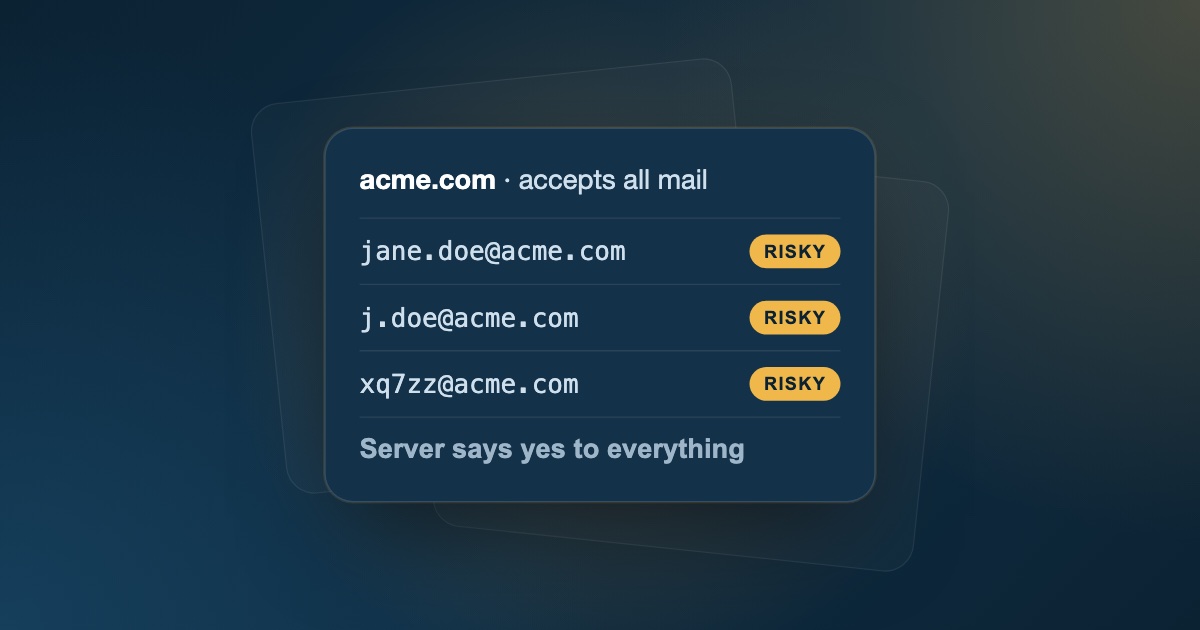
If you have ever run a lead list through an email verifier, you have seen the label catch-all (sometimes called accept-all). It sits awkwardly between "valid" and "invalid": the domain is real, but nobody can tell you whether the person's mailbox is.
That uncertainty matters. Delete every catch-all address and you throw away prospects at established companies. Send to all of them blindly and you risk the bounce spikes that push your domain into the spam folder.
This guide explains what a catch-all email is, why a standard verification check can't confirm it, and a practical process for sending to catch-all leads safely.
Quick answer: a catch-all email is an address on a domain whose mail server accepts messages for every address, real or not. Because the server says yes to everything, no verifier can confirm the mailbox exists, so catch-all addresses are labeled risky. Don't delete them automatically: confirm the person, match the company's email format, and send in small batches from a secondary domain.
What Is a Catch-All Email Domain?
A catch-all domain is a domain whose mail server is configured to accept messages sent to any address on that domain, even if the part before the @ doesn't match a real mailbox.
For example, if acme.com is set up as catch-all, an email to nonexistent-user@acme.com will not be rejected with a hard bounce. The server accepts it and then either routes it to a shared admin inbox or quietly discards it.
Companies enable catch-all routing for reasons that make sense from their side:
- Never lose mail to typos. A prospect who misspells a sales rep's name still reaches the company.
- Keep mail for departed employees. Messages to former staff keep arriving instead of bouncing.
- Security gateways. Many email security gateways accept every message at the front door, scan it, and only decide afterwards whether a mailbox exists.
From the sender's side, though, catch-all hides the one fact you need: whether your email will reach a real person.
Why Email Verification Can't Confirm Catch-All Addresses
Most email verifiers confirm a mailbox with an SMTP handshake. The tool connects to the recipient's mail server and starts sending a message, then stops just before any content is delivered. The server's response to the recipient address tells the tool whether the mailbox exists.
On a normal domain, a fake address gets rejected. On a catch-all domain, it doesn't:
- The verifier checks
jane.doe@acme.com. The server replies250 OK. - The verifier checks
random-xk3921@acme.com. The server replies250 OKagain.
Because the server answers "yes" to a mailbox that clearly can't exist, its "yes" for Jane carries no information. A good verifier detects this pattern and labels the address catch-all / risky rather than falsely calling it valid.
Key point: a catch-all result is not a failure of the verifier. It is an honest "the server won't tell us" — and that is exactly the information you need to decide how to treat the address.
How to tell if a domain is catch-all
You don't need to test this by hand. Any address at the domain that you run through a verifier will reveal it, because the verifier also checks a random address that can't exist. If that random address is accepted, every address at the domain will come back catch-all.
A few signals make a catch-all result more likely:
- Large or older companies that route stray mail to a shared inbox.
- Domains behind email security gateways, which often accept every message before scanning it.
- Custom mail server setups, as opposed to standard Google Workspace or Microsoft 365 configurations, which reject unknown addresses by default.
Catch-all vs. unknown: not the same result
These two are easy to confuse:
- Catch-all: the server answered, but it accepts every address, so the answer can't confirm the mailbox. Re-checking usually gives the same result.
- Unknown: the server didn't give a usable answer, because it timed out, temporarily deferred the check (greylisting), or blocked it. Re-verifying later often turns an unknown into a clear valid or invalid.
Why Sending to Catch-All Emails Is Risky
Catch-all addresses are not automatically bad, but they carry three risks that verified addresses don't:
- Delayed bounces. Some servers (especially security gateways) accept the message during the SMTP conversation and send a bounce notice minutes or hours later once they discover the mailbox doesn't exist. Those bounces still count against you.
- Silent black holes. Mail to a non-existent address may be accepted and discarded. You get no bounce, but also no opens or replies, and low engagement drags down your reputation with inbox providers over time.
- Unmonitored inboxes. Catch-all mail often lands in a shared inbox nobody reads, which wastes sends in your sequence and skews your reply-rate data.
The threshold to protect is your bounce rate. As a rule of thumb, keep it under 2% per campaign (ideally under 1%). Above that, Gmail, Outlook, and Yahoo increasingly treat your mail as suspicious. One unfiltered batch of catch-all addresses can be enough to cross that line. If you're unsure where you stand, our email deliverability checklist walks through the full audit.
How to Send to Catch-All Emails Safely: A 5-Step Process
You don't need to delete every catch-all contact. Treat them as a separate, higher-risk segment and work through these steps.
1. Separate catch-all addresses from verified ones
Never mix catch-all addresses into your main campaign. After verification, split your list into valid, risky (catch-all), and invalid buckets. Send only to valid addresses from your primary sequences. We cover this bucket system in detail in how to clean an email list without losing good leads.
2. Confirm the person actually works there
The SMTP check can't confirm the mailbox, but you can confirm the human. Check that the contact appears on LinkedIn or the company's team page with a current role. A real, current employee at a catch-all domain is a far better bet than a name pulled from an old, scraped list.
3. Match the company's email pattern
If you can find one verified address at the same company, use its format. If a colleague's address is confirmed as first.last@acme.com, then jane.doe@acme.com is much more likely to be correct than jdoe@acme.com. See the common patterns in our guide to finding business email addresses.
4. Send from a secondary domain, in small batches
Route catch-all segments through a secondary, warmed-up sending domain (for example getacme.com instead of acme.com), never your primary company domain. Start with a small batch, a few dozen addresses, and cap catch-all sends per inbox per day. If bounces climb, you stop before damage spreads, and your main domain stays protected.
5. Remove what doesn't respond
After the first send, immediately remove any address that hard-bounces. Over the following weeks, suppress catch-all contacts that never open or reply. What remains is a smaller segment of catch-all addresses that you've effectively verified by real engagement.
Catch-All vs. Other Risky Results
Catch-all is one of several "not clearly valid" results. They call for different handling:
| Result | What it means | What to do |
|---|---|---|
| Catch-all | Domain accepts all addresses; mailbox can't be confirmed | Segment, confirm the person, send cautiously |
| Unknown | Server timed out, deferred, or blocked the check | Re-verify later before sending |
| Role-based | Shared alias like info@, sales@, support@ |
Skip for 1:1 cold outreach |
| Disposable | Temporary inbox from a throwaway provider | Remove |
| Invalid | Bad syntax, dead domain, or rejected mailbox | Remove before sending |
How FeedLead Handles Catch-All Addresses
FeedLead checks every address for syntax, MX records, and SMTP deliverability, and explicitly flags catch-all domains instead of reporting them as valid. Each result also shows whether the address is disposable, a free webmail address, or likely gibberish, and suggests corrections for common domain typos.
That gives you a clean three-way split, valid, risky, and invalid, so catch-all addresses land in their own bucket where you can apply the process above. You can verify a single address, upload a CSV to clean a whole list, or call the API to check addresses as they are captured. On Growth and Business plans, a deliverability score helps you rank risky addresses by how likely they are to land.
See FeedLead's plans and start verifying for free →
Key Takeaways
- A catch-all email belongs to a domain that accepts mail for every address, so its existence can't be confirmed by an SMTP check.
- Catch-all addresses aren't invalid; they're unknown. Treat them as a separate, higher-risk segment.
- Protect your bounce rate by confirming the person, matching the company's email pattern, and sending in small batches from a secondary domain.
- Remove anything that bounces or never engages, and re-verify lists before every major campaign.
Frequently Asked Questions
What does catch-all mean in email verification?
A catch-all (or accept-all) result means the recipient's mail server accepts mail for every address on the domain, including ones that don't exist. Because the server says yes to everything, a verifier can confirm the domain is real but cannot confirm that the specific mailbox exists.
Are catch-all emails valid?
Some are and some aren't. A catch-all address can belong to a real, active person, or it can be a made-up address that the server silently accepts and discards. That uncertainty is why verifiers label catch-all addresses as risky rather than valid or invalid.
Should I remove catch-all emails from my list?
Not automatically. Catch-all domains often belong to established companies, so deleting them can throw away good prospects. Segment them instead: confirm the person exists, send in small batches from a secondary domain, and remove any address that bounces or never engages.
Can you verify a catch-all email address 100%?
No tool can guarantee it with an SMTP check alone, because the server gives the same answer for real and fake mailboxes. You can raise confidence by confirming the person works at the company, matching the company's known email pattern, and testing with a small, throttled send.
Do catch-all emails hurt my sender reputation?
They can. Some catch-all servers accept a message and bounce it later, and others deliver to unmonitored inboxes that never open or reply. Both push your bounce and engagement metrics in the wrong direction, so send to catch-all segments cautiously.
How do I know if a domain is catch-all?
Run any address at the domain through an email verifier. It tests whether the server also accepts a randomly generated address that can't exist; if it does, the domain is catch-all and the verifier labels its addresses as catch-all or risky.
What is the difference between a catch-all and an unknown result?
Catch-all means the server answered, but it accepts every address, so its answer can't confirm the mailbox. Unknown means the server didn't give a usable answer at all, for example because it timed out, greylisted the check, or blocked it. Unknown addresses are worth re-verifying later; catch-all results will usually stay catch-all.
Can I send cold emails to catch-all addresses?
Yes, with care. Confirm the person currently works at the company, match the company's known email format, and send in small batches from a secondary, warmed-up domain. Remove anything that bounces and suppress contacts who never engage.