How to Find Business Email Addresses: 7 Methods That Work
Cold outreach only works if your message reaches a real, active inbox. Finding the right business email address is the first step in any B2B outreach workflow, but sending to addresses you haven't verified is a fast route to high bounce rates and a damaged sender reputation.
This guide covers 7 reliable ways to find someone's work email address, most of them free, from working out the company's email format to Google search operators, LinkedIn, and email finder tools. It also explains how to verify each address before you hit send.
Quick answer: get the person's full name and their company's email domain, find one public address at that domain to learn the email format, apply the format to your contact's name, then confirm the address with an email verifier.
Why Finding (and Verifying) the Right Email Matters
A wrong address doesn't just mean one lost email. When too many of your messages bounce, usually above 2% of a campaign, inbox providers like Gmail and Outlook start treating your domain as unreliable. After that, even emails to correct addresses are more likely to land in spam.
Getting addresses right and verified means you:
- Protect your deliverability: keep bounce rates safely under 1–2%.
- Save budget: stop spending sending-platform credits on dead inboxes.
- Get more replies: reach the actual decision-maker, not a shared inbox or nobody.
Before You Start: Identify the Right Person
Before looking for an address, decide exactly who you want to reach. Generic inboxes like info@ or sales@ rarely lead to a conversation.
- Use LinkedIn and company team pages to find the person who owns the problem you solve.
- Write down three details: their first name, last name, and the company's email domain (for example
acme.com). Check the domain on the company website, since it doesn't always match the brand name. A company might useacme.comfor its website butacmecorp.comfor email.
With those three details, you can use any of the methods below.
Method 1: Work Out the Company's Email Format
Most companies use one consistent email format for all employees. Once you know it, you can apply it to anyone at the company. These are the most common business email formats:
| Format | Example |
|---|---|
| First name | jane@company.com |
| First.last | jane.doe@company.com |
| Firstlast | janedoe@company.com |
| First initial + last | jdoe@company.com |
| First + last initial | janed@company.com |
| First_last | jane_doe@company.com |
Tip: you only need one real address at the target domain to know the format. Methods 2 and 3 show where to find it.
Watch for edge cases: hyphenated or double last names, accented characters (usually dropped, so josé becomes jose), and duplicate names, where the company may add a middle initial or a number.
Method 2: Use Google Search Operators
Google can find addresses that companies and people have published, if you search precisely. Try these queries, replacing the name and domain:
| Query | What it finds |
|---|---|
"@company.com" |
Any page mentioning an address at that domain, which reveals the format |
"jane doe" "@company.com" |
Pages where your contact's address appears directly |
site:company.com "@company.com" |
Addresses published on the company's own website |
"jane doe" email company |
Interviews, bios, and directories listing the person's contact details |
"@company.com" filetype:pdf |
Press kits, reports, and brochures that include contact addresses |
Even if you don't find your contact's address, one result from any employee is enough to confirm the company's email format.
Method 3: Check the Company Website and Public Documents
Companies publish employee addresses in more places than the contact page:
- Website pages: team and leadership pages, press or media contacts, blog author bios, careers pages, and privacy policies (which often name a data protection contact).
- Company documents: press releases, whitepapers, case studies, and investor or regulatory filings.
- Content and events: podcast show notes, webinar pages, and conference speaker pages.
- Technical and academic work: open-source commit metadata, research papers, and project pages.
Only use addresses people have published for professional contact, and respect any "do not contact" requests.
Method 4: Look on LinkedIn and Social Profiles
LinkedIn is the best place to confirm who to contact and where they work now, which matters because outdated job data is a top cause of bounces.
- Contact info section: if you're a first-degree connection, the person's email may be listed under Contact info on their profile.
- About section and posts: some people include their work email in their summary or in posts inviting inquiries.
- Other channels: X (Twitter) bios, YouTube "About" pages, GitHub profiles, and personal websites often list a professional address.
If LinkedIn doesn't show an email, use the exact name and current company from the profile with Method 1 or Method 6.
Method 5: Generate Variations with an Email Permutator
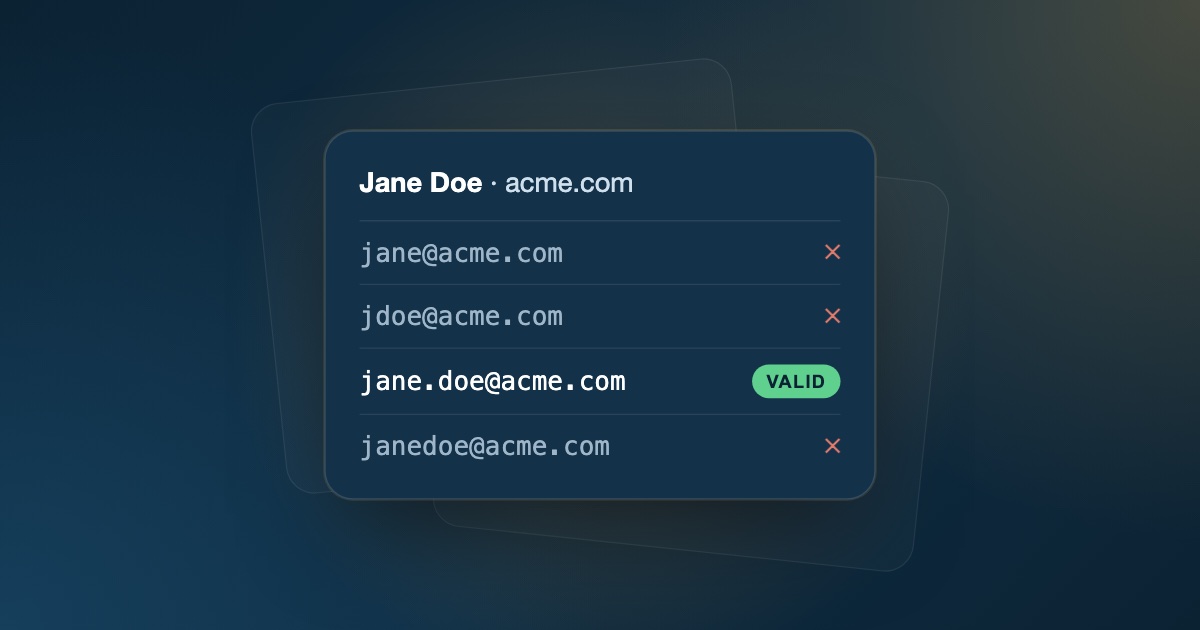
When you can't find any public address at the domain, generate the likely options yourself. An email permutator takes a first name, last name, and domain and lists every common combination: jane@, jane.doe@, jdoe@, janedoe@, janed@, and so on.
You can do this with a free permutator tool or a simple spreadsheet formula. Then run the whole list through an email verifier. The address that comes back valid is the one to use.
Don't test variations by sending real emails to each one. Every wrong guess becomes a hard bounce that counts against your sender reputation.
Method 6: Use an Email Finder Tool
Testing patterns by hand works for a handful of contacts but doesn't scale. Email finder tools take a name and company domain, check them against known patterns and data sources, and return the most likely address. Many also come as browser extensions that work directly on LinkedIn or company websites.
Whichever finder you use, treat its output as a strong guess, not a fact. Finder tools are only as good as their data, and people change jobs all the time. Always verify what they return.
Method 7: Ask Directly
Sometimes the fastest route is the simplest:
- Send a short LinkedIn message or connection request and ask for the best address to send details to.
- Call or email the main line and ask reception or a general inbox to route your message to the right person.
- Ask a mutual contact for an introduction, which also makes your first email warmer.
Verify Every Email Before You Send
Finding an address is only half the job. Whichever method you used, a found or guessed address is still a guess until it's verified.
Before adding a new address to any sequence, run it through an email verifier that checks:
- Syntax: valid formatting per email standards (no missing
@, spaces, or invalid characters). - Domain and MX records: the domain exists and is set up to receive mail.
- Mailbox existence: an SMTP check confirms the specific inbox exists, without sending a message.
- Risk signals: catch-all domains, disposable providers, role-based aliases, and gibberish addresses.
Only send to addresses that come back valid. Treat risky results with care. In particular, catch-all addresses can't be confirmed by any verifier, so read what catch-all emails are and how to send to them safely before adding them to a campaign.
Common Mistakes When Finding Business Emails
- Using the website domain without checking the email domain. They aren't always the same.
- Trusting old data. People change jobs often, so an address from last year's list may now bounce.
- Guessing and sending. Sending to unverified guesses produces hard bounces that hurt every future campaign.
- Defaulting to generic inboxes.
info@andcontact@addresses are rarely read by decision-makers, and role-based addresses tend to get lower engagement. - Skipping list hygiene. Even verified lists decay. Our guide on how to clean an email list explains how to keep them clean.
Putting It Together: A Repeatable Workflow
- Identify the decision-maker and their company's email domain.
- Find the address using the company's email format, Google, public sources, LinkedIn, a permutator, or a finder tool.
- Verify it with an email verifier.
- Segment valid, risky, and invalid results (our email verification best practices guide covers how).
- Send from an authenticated, warmed-up domain. Use the email deliverability checklist to check your setup.
Doing this consistently keeps your bounce rate low and your outreach landing in the inbox.
Verify Found Emails with FeedLead
FeedLead is the verification step in this workflow. Paste a single address to check it instantly, or upload the CSV from your prospecting tool or permutator to verify a whole list in bulk. Every address gets syntax, MX, SMTP, disposable, catch-all, and gibberish checks, plus a clear valid / risky / invalid result and suggested fixes for common domain typos.
Key Takeaways
- Start with the right person and their company's real email domain.
- Learn the company's email format from one public address, using Google operators or the company's own pages.
- LinkedIn confirms who to contact and where they work now; permutators and finder tools give you likely addresses, not confirmed ones.
- Never test guesses by sending real emails. Verify every address first and handle catch-all results cautiously.
Frequently Asked Questions
How do I find someone's business email address for free?
Find their name and company domain on LinkedIn or the company website, then look for one public address at that domain (with a Google search like "@company.com") to learn the company's email format. Apply that format to your contact's name and run the result through an email verifier before sending.
How do I find an email address with just a name and company?
Look up the company's website domain, work out its email format from any public employee address, and apply that format to the person's first and last name. If you can't find the format, generate the common variations with an email permutator and verify each one to see which mailbox exists.
What is the most common business email format?
The most common formats are first.last@company.com, first@company.com, and firstinitiallast@company.com (for example jdoe@company.com). Smaller companies lean toward first@company.com, while larger organizations more often use first.last.
Can I find someone's work email from LinkedIn?
Sometimes. First-degree connections can see the email in a profile's Contact info section if the person chose to share it. Otherwise, use LinkedIn to get the person's exact name and current employer, then apply the company's email format or use an email finder, and verify the result.
What is an email permutator?
An email permutator generates every likely address combination from a first name, last name, and domain, such as jane@, jane.doe@, jdoe@, and janedoe@. You then verify the list to find the one address that actually exists.
How can I check if a business email address is valid?
Use an email verifier. It checks the address's syntax, confirms the domain has MX records that can receive mail, and runs an SMTP check to see whether the mailbox exists, all without sending a message.
Is it legal to email someone at their business address?
B2B cold email is permitted in many countries, but rules differ. In general you should have a legitimate business reason to contact the person, identify yourself clearly, and include an easy way to opt out. Check the regulations that apply where your recipients are, such as GDPR in the EU or CAN-SPAM in the US.
Why do guessed email addresses bounce?
A guessed address may use the wrong format, the person may have left the company, or the domain may route mail differently. That's why every found or guessed address should be verified before it goes into a campaign.