Email List Hygiene: How to Keep Your List Clean in 2026
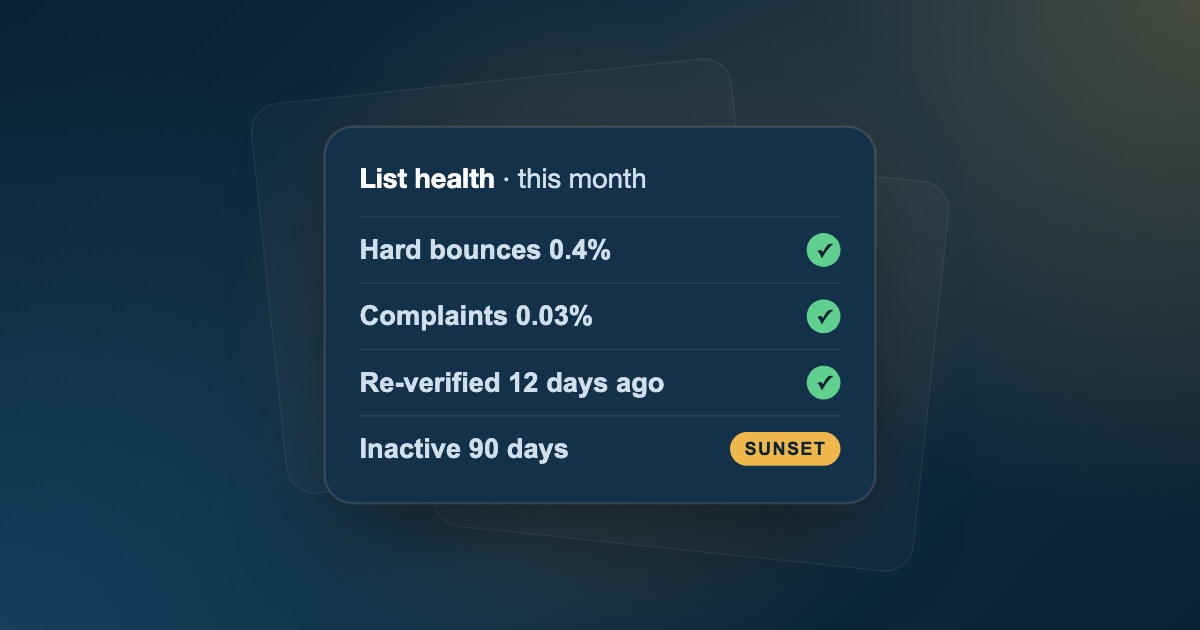
Your email list starts decaying the moment you build it. People change jobs, inboxes get abandoned, and subscribers who once clicked every email quietly stop reading. None of that is visible in your list size, but inbox providers notice it in your bounces, complaints, and engagement.
Email list hygiene is the routine that keeps that decay from turning into a deliverability problem. Unlike a one-off clean-up, it is a set of habits: what you check at capture, what you suppress after every send, and how you handle contacts who stop engaging.
This guide covers the email list hygiene practices that matter in 2026, a ready-to-use maintenance schedule, the metrics to track, and how to avoid the spam traps that hide in neglected lists.
Quick answer: to keep an email list clean, verify every address at the point of capture, suppress hard bounces, complaints, and unsubscribes after every send, review engagement monthly and retire contacts who haven't clicked or replied in about 90 days, re-verify the full list every quarter, and never add purchased or scraped contacts.
What Is Email List Hygiene?
Email list hygiene is the ongoing process of keeping your list accurate, so every address can receive mail, and engaged, so the people on it still want your emails.
It's easy to confuse with list cleaning, but they solve different problems:
| List cleaning | List hygiene | |
|---|---|---|
| When | Once, before a campaign or after importing a list | Continuously, as part of every send |
| Goal | Fix a list that has already decayed | Stop the list from decaying again |
| Main actions | Bulk verification, sorting results, fixing typos | Verification at capture, suppression, engagement reviews, re-verification |
If your list already needs a deep clean, start with our step-by-step guide on how to clean an email list without losing good leads, then use the routine below to keep it that way.
Why List Hygiene Matters More in 2026
Inbox providers have steadily raised the bar for senders. Since 2024, Gmail and Yahoo require bulk senders to authenticate their mail, keep spam complaints below 0.3%, offer one-click unsubscribe, and honor unsubscribes within two days. Microsoft introduced similar requirements for Outlook.com in 2025.
Authentication is a one-time setup. Complaint rates, bounce rates, and engagement, however, depend directly on the state of your list, and that's what list hygiene controls.
Neglecting it costs you in three ways:
- Deliverability: bounces and low engagement push your mail toward the spam folder, even for subscribers who want it.
- Budget: most email and outreach platforms charge by contact or by send, so dead addresses cost money every month.
- Data quality: inactive and invalid contacts distort open, click, and reply rates, making it harder to know what's working.
A commonly cited estimate puts B2B contact data decay at around 22.5% per year. Without a hygiene routine, a list that is clean today can have a meaningful share of bad addresses within a few months.
8 Email List Hygiene Best Practices
1. Verify addresses at the point of capture
The cheapest bad address to deal with is the one that never enters your list. Add real-time email verification to signup forms, lead magnets, demo requests, and checkout pages to block:
- Typos such as
gmial.comoroutlok.com, while the person can still correct them. - Disposable addresses used to grab a free resource without sharing a real inbox.
- Fake or gibberish entries from bots and form spam.
The same rule applies to addresses your sales team finds manually: anything you find or guess for a business contact should be verified before it's added.
2. Use double opt-in for marketing lists
For newsletters and marketing lists, double opt-in, where new subscribers confirm via a link in a first email, proves that the address exists and that its owner wants your emails. It reduces fake signups, typos, and spam-trap hits, and usually leads to a more engaged list from day one.
3. Suppress hard bounces, complaints, and unsubscribes after every send
Three kinds of contacts should never receive another campaign:
- Hard bounces: the mailbox or domain doesn't exist.
- Spam complaints: the person marked your email as spam.
- Unsubscribes: the person asked to stop receiving your emails.
Add them to a suppression list automatically, and sync it across every tool you send from: your email platform, your outreach tool, and your CRM. A contact suppressed in one tool but still active in another will come back with the next import.
Soft bounces (full mailbox, temporary server issue) can be retried a few times. If an address keeps soft-bouncing over several campaigns, treat it like a hard bounce.
4. Retire unengaged contacts with a sunset policy
Inbox providers watch how recipients interact with your mail. Contacts who never engage send a negative signal with every email you send them.
A simple sunset policy looks like this:
- Flag contacts with no clicks or replies in about 90 days. Adjust for how often you send: a weekly newsletter can use a shorter window than a quarterly one.
- Send a short re-engagement sequence: two or three emails asking whether they still want to hear from you, with a clear way to stay subscribed.
- Suppress anyone who still doesn't respond. Keep them in your CRM, but stop including them in regular sends.
Base engagement on clicks, replies, and conversions rather than opens. Privacy features such as Apple Mail Privacy Protection can register opens automatically, so open rates alone overstate how engaged your list really is.
5. Re-verify your list on a regular schedule
Addresses that were valid when they joined can become invalid later, when someone leaves a company or a domain expires. Re-verify the full list:
- At least once a quarter for lists you email regularly.
- Before any major campaign or product launch.
- Before emailing a segment you haven't contacted in six months or more.
Treat catch-all results with care rather than deleting them; our guide to catch-all emails explains how to send to them safely.
6. Keep role-based and catch-all addresses in their own segments
Shared aliases like info@, sales@, or support@ are read by several people, or by nobody, and tend to generate more complaints in 1:1 outreach. Catch-all addresses can't be confirmed by any verifier. Neither needs to be deleted automatically, but both deserve separate segments with lower volumes, so they can't drag down the results of your main list.
7. Never buy, rent, or scrape email lists
Purchased and scraped lists are the fastest way to wreck a clean list. They contain outdated addresses, people who never agreed to hear from you, and often spam traps. Even after verification, the people on them don't know you, which means low engagement and high complaints. Build your list through your own forms, content, events, and targeted prospecting instead.
8. Make unsubscribing easy
It sounds counterintuitive, but an easy unsubscribe protects your list. Someone who can't find the unsubscribe link will click "Report spam" instead, and complaints hurt far more than unsubscribes.
- Include a visible unsubscribe link in every marketing email, plus one-click unsubscribe headers if you send in bulk.
- For cold outreach, a simple "reply and I won't follow up" line works.
- Process every request immediately, not in a weekly batch.
How to Avoid Spam Traps
Spam traps are addresses that inbox providers and blocklist operators use to identify senders with poor list practices. Hitting them can damage your reputation or get your domain blocklisted, and a normal email verifier can't always identify them. Prevention is the only reliable protection.
| Trap type | What it is | How it gets on your list | How to avoid it |
|---|---|---|---|
| Pristine | An address that was never used by a real person | Purchased or scraped lists | Never buy or scrape lists |
| Recycled | An abandoned address reactivated as a trap | Old contacts you kept emailing | Sunset inactive contacts; re-verify regularly |
| Typo | An address on a misspelled domain, such as gmial.com |
Typos at signup | Verify at capture; use double opt-in |
If you suddenly see a drop in inbox placement with no change in content or volume, a spam-trap hit is one of the first things to investigate.
Email List Hygiene Schedule
Use this routine as a starting point and adjust the frequency to how much you send:
| When | What to do |
|---|---|
| At every signup | Verify the address in real time; use double opt-in for marketing lists |
| After every send | Suppress hard bounces, complaints, and unsubscribes in every tool |
| Monthly | Review engagement; start re-engagement for contacts inactive for about 90 days |
| Quarterly | Re-verify the full list; suppress contacts who didn't re-engage |
| Before major campaigns | Re-verify the target segment; send a small test batch first |
| Before importing any list | Bulk-verify it before it reaches your CRM or sending tool |
Metrics to Track
These numbers tell you whether your list hygiene is working:
| Metric | Healthy | Take action if |
|---|---|---|
| Hard bounce rate | Under 1% | Above 2% |
| Spam complaint rate | Under 0.1% | Approaching 0.3% (Gmail and Yahoo's limit) |
| Unsubscribe rate | Stable from send to send | Spikes after a specific campaign or segment |
| Click or reply rate | Stable or rising | Falling steadily over several sends |
| Share of inactive contacts | Small and stable | Growing every month |
For the full picture, check your domain reputation in Google Postmaster Tools alongside these list metrics. Our email deliverability checklist covers the rest of your sending setup, from authentication to warmup.
Common Email List Hygiene Mistakes
- Cleaning only when something breaks. By the time bounces spike, your reputation has already taken the hit.
- Keeping inactive contacts "just in case". They inflate your list size and costs while lowering your engagement signals.
- Relying on open rates alone to decide who is engaged.
- Suppressing contacts in one tool only, so they return with the next import.
- Deleting every risky result. Catch-all and role-based contacts need segmenting, not automatic deletion. Our email verification best practices explain how to handle each result.
Keep Your List Clean with FeedLead
FeedLead covers the verification side of your list hygiene routine. Verify addresses in real time with the API as they're entered, upload a CSV to re-verify your full list in bulk, or check a single address in seconds. Every address gets syntax, MX, SMTP, disposable, catch-all, and gibberish checks, a clear valid / risky / invalid result, and suggested fixes for common domain typos.
Key Takeaways
- List hygiene is a routine, not a one-off clean-up. Build it into every signup and every send.
- Stop bad data at the door with real-time verification and double opt-in.
- Suppress bounces, complaints, and unsubscribes everywhere, immediately.
- Retire unengaged contacts with a sunset policy based on clicks and replies, not opens alone.
- Re-verify quarterly and before every major campaign, and never buy or scrape lists.
Frequently Asked Questions
What is email list hygiene?
Email list hygiene is the ongoing practice of keeping your email list accurate and engaged: verifying new addresses, removing invalid and bounced contacts, honoring unsubscribes and complaints, and retiring people who no longer engage. Its goal is to protect your sender reputation so your emails keep reaching the inbox.
How often should I clean my email list?
Suppress bounces, complaints, and unsubscribes after every send, review engagement monthly, and re-verify the full list at least once a quarter. Always re-verify before a major campaign or before emailing contacts you haven't reached in six months or more.
What is the difference between list hygiene and list cleaning?
List cleaning is a one-time project, such as verifying and fixing a whole list before a campaign. List hygiene is the routine that keeps the list clean afterwards, through verification at capture, automatic suppression, engagement reviews, and regular re-verification.
What is a sunset policy in email marketing?
A sunset policy is a rule for retiring contacts who stop engaging. For example, contacts with no clicks or replies in 90 days get a short re-engagement sequence, and anyone who still doesn't respond is moved to a suppression list instead of receiving regular campaigns.
What are spam traps and how do I avoid them?
Spam traps are addresses used by inbox providers and blocklist operators to catch senders with poor list practices. Pristine traps were never used by a real person, recycled traps are abandoned addresses that were reactivated, and typo traps sit on misspelled domains. Avoid them by never buying or scraping lists, verifying addresses at capture, and retiring inactive contacts.
Should I remove unengaged subscribers?
Yes, after giving them a chance to re-engage. Contacts who never open, click, or reply drag down your engagement signals, which inbox providers use to decide whether your mail belongs in the inbox. A smaller, engaged list usually delivers better results than a large, inactive one.
Are open rates still reliable for list hygiene?
Not on their own. Privacy features such as Apple Mail Privacy Protection can register opens automatically, which inflates open rates. Base engagement decisions on clicks, replies, and conversions, and use opens only as a secondary signal.
How quickly do I need to process unsubscribes?
Gmail and Yahoo require bulk senders to honor unsubscribe requests within two days, and laws such as CAN-SPAM set their own deadlines. The safest practice is to suppress unsubscribes immediately and sync that suppression across every tool you send from.